
Related Articles:
The Card App virtual card is a digital payment card that helps users make online payments through websites and apps without waiting for a physical card. It is created directly inside the Card App, where the user can enter the cardholder name, choose the amount, review the network, check the limits, and confirm the card creation request.
This guide explains how to create a Card App virtual card step by step in a simple way. It also covers the most important details users should check before confirmation, such as available balance, creation fees, card limits, network, and the expected amount the user will receive after fees.
Card App presents the virtual card as a solution for global and secure electronic payment. The app also shows that the card can work on websites and apps worldwide, with instant issuance within seconds and a displayed creation time of 5 minutes. For users who need an instant virtual card or a simple online payment card, this makes the process clear and practical.

What Is the Card App Virtual Card?
The Card App virtual card is a payment card created inside the Card App. It is not a plastic card that needs shipping or physical delivery. Instead, it is a digital card that users can create from their account and use for supported online payments.
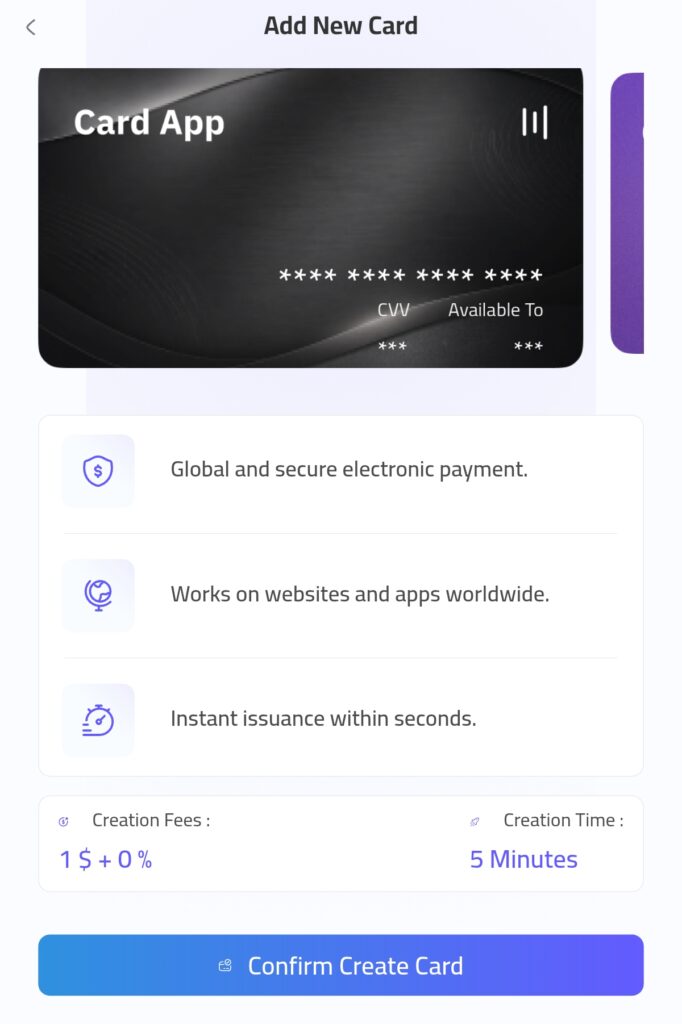
A virtual card usually works by giving the user payment details that can be entered on supported checkout pages. In Card App, the card creation screen shows a card preview with masked card numbers, CVV, and availability fields. This helps users understand that the card is made for digital use and app-based control.
The main purpose of the Card App virtual card is to make online payment easier. It can be helpful for people who shop online, pay for subscriptions, buy digital products, or need a separate card for internet spending.
Key points:
- Created inside Card App
- Used mainly for online payments
- Designed for websites and apps
- Managed from the user’s account
- Linked to the amount selected during creation

Why Users May Need a Card App Virtual Card
Many users need a virtual card because they want a fast way to pay online without using a physical card. The Card App virtual card can be useful when a user wants to create a card quickly, assign a specific amount, and use it for digital payments.
It can also help users separate online spending from other money activities. For example, someone may create a card for a subscription, a website purchase, or a small digital service instead of using the same main payment method for everything.
Users may choose a virtual card for several practical reasons:
- Speed: the card can be created digitally from the app.
- Control: the user enters the amount before creation.
- Clarity: the app shows fees, limits, and received amount.
- Flexibility: it can be used for supported websites and apps.
- Convenience: the process happens from the phone.
This makes the Card App virtual card suitable for users who prefer a mobile-first payment experience. It is also useful for people who want an online payment card that can be created without complicated steps.
How to Start Creating a Card App Virtual Card
The first step to creating a Card App virtual card starts from the app home screen. In the screenshot, the home screen shows a large Card App card preview with a clear Add New Card button. This button is the starting point for creating a new virtual card.
The app also includes navigation options such as Home, My Cards, My Wallet, and Account. These tabs help users move between their wallet, cards, and account settings. For card creation, the user should begin from the card area and choose Add New Card.

To start the process:
- Open Card App
- Go to the Home screen
- Find the large card preview
- Tap Add New Card
- Wait for the Add New Card screen to open

This step is simple, but it is important because users should make sure they are inside the correct card creation page before entering any details. The screen title should show Add New Card, which confirms that the user is in the right place.
Enter Card Details and Choose the Amount
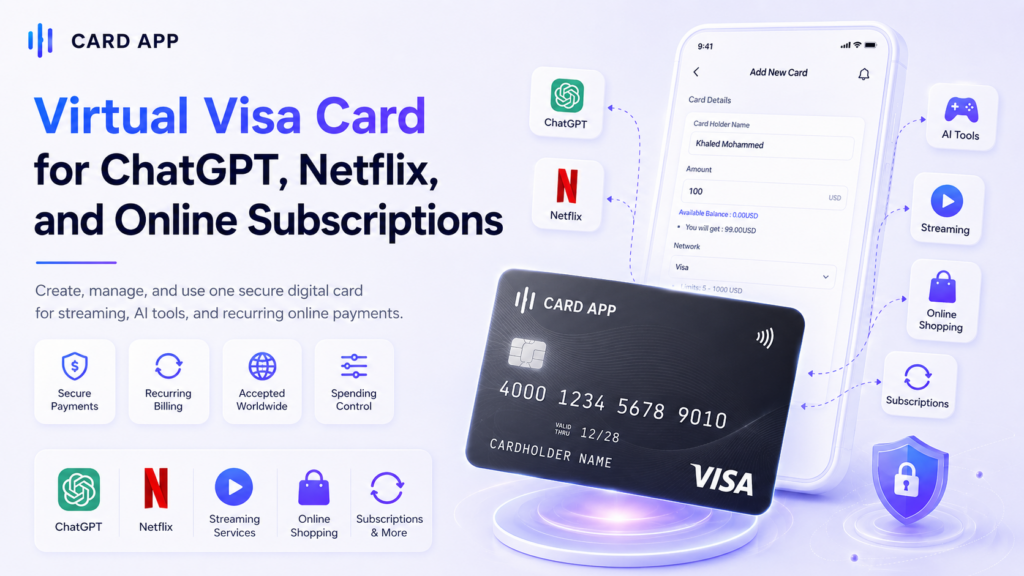
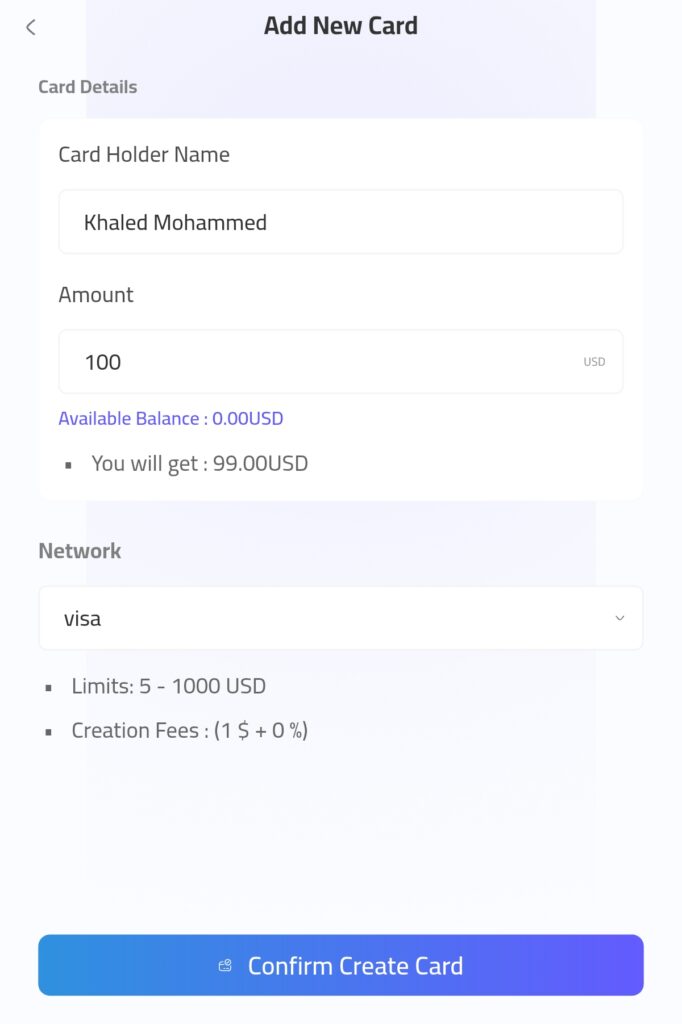
After tapping Add New Card, the app opens the card creation form. asks for the Card Holder Name and the Amount. In the screenshot, the example cardholder name is entered, and the amount is set to 100 USD.
This step is important because the amount affects how much value will be added to the virtual card. The app also shows the Available Balance and the final amount under You will get. In the example shown, the user enters 100 USD, and the app displays You will get: 99.00 USD.
This means the user should not only enter the amount, but also check the final received value before continuing.
Follow these steps carefully:
- Enter the Card Holder Name.
- Type the Amount in USD.
- Check the Available Balance.
- Review the You will get amount.
- Make sure the amount is suitable before confirming.
The Card App virtual card creation process is designed to show important numbers before the user completes the action. This helps reduce confusion and gives the user a clearer view of the cost and final card value.

Review Fees, Limits, and Network Before Confirmation
Before creating the Card App virtual card, users should review the details shown on the screen. The screenshots show several important items: Network, Limits, Creation Fees, and Creation Time.
The selected network shown in the form is Visa. This matters because the card network can affect where the card may be accepted. The app also shows Limits: 5 – 1000 USD, which means the card amount should stay within this range.
The creation fee is displayed as 1$ + 0%. This fee explains why an entered amount of 100 USD results in 99.00 USD under “You will get.” The confirmation screen also shows Creation Time: 5 Minutes, while the benefits section mentions instant issuance within seconds. Users should follow the timing shown inside the app during the actual process.
Important details to check:
- Network: Visa or Mastercard
- Limits: 5 – 1000 USD
- Creation Fees: 1$ + 0%
- Creation Time: 5 Minutes
- Available Balance: shown before confirmation
- Final received amount: shown under “You will get”
These details help users create the card with better awareness. Before tapping Confirm Create Card, the user should make sure the balance is enough, the amount is correct, and the displayed fee is acceptable.
Confirm and Create the Card App Virtual Card
After reviewing the details, the final step is to confirm the card creation request. The confirmation screen in Card App explains the main benefits again before the user completes the process. This helps users make sure they understand what they are creating before they press the final button.
The screen highlights that the card supports global and secure electronic payment, works on websites and apps worldwide, and can be issued quickly. It also shows the Creation Fees: 1$ + 0% and Creation Time: 5 Minutes, which are important details users should read carefully.
Before tapping Confirm Create Card, review:
- The entered cardholder name.
- The selected amount.
- The displayed creation fee.
- The expected creation time.
- The card benefits shown on the confirmation screen.
Once the details are correct, tap Confirm Create Card. After that, the app should process the request according to the displayed time and account conditions. Users should avoid closing the app too quickly if the process is still loading or waiting for confirmation.

How to Use the Card App Virtual Card Online
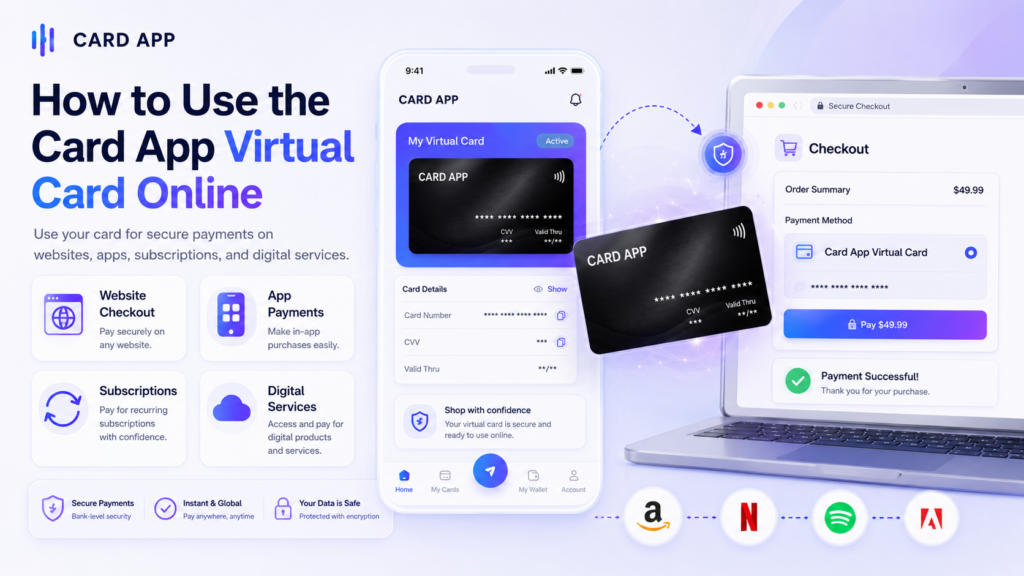
After the Card App virtual card is created, users can use it for supported online payments. The app presents the card as a tool for websites and apps worldwide, which makes it useful for users who need a virtual card for digital purchases, subscriptions, and online services.
The user should make sure the card has enough balance before using it. If the final payment amount is higher than the available card value, the transaction may fail. This is especially important when using the card for international websites, recurring subscriptions, or purchases that include extra fees.
Common ways to use the card include:
- Online shopping from supported websites
- App payments and in-app purchases
- Digital subscriptions and memberships
- Software tools and online services
- Small digital purchases that need a card payment
To use the card, enter the required card details on the checkout page, then review the payment amount before confirming. Users should only use the card on trusted websites and apps to protect their payment information.
Safety Tips Before Using a Card App Virtual Card
The Card App virtual card is built for digital payment, but safe use still depends on the user’s habits. Since the card is used online, users should be careful with websites, payment pages, passwords, and account access.
A good safety habit is to treat the virtual card like any other payment card. Do not share its details in chats, screenshots, or public messages. Also, do not enter card information on unknown websites or pages that look suspicious.
Important safety tips include:
- Use the card only on trusted websites.
- Check the website URL before payment.
- Avoid suspicious links from unknown messages.
- Protect your Card App login details.
- Review transactions after each payment.
Users should also monitor their balance and payment history regularly. If a transaction looks unfamiliar, it is better to contact support and check the account activity as soon as possible. This helps users keep better control over their online payment card and avoid possible problems.

Benefits of the Card App Virtual Card
The Card App virtual card is useful because it gives users a faster and more flexible way to pay online. Instead of waiting for a physical card, users can create a digital card from the app and use it for supported digital payments.
One of the main benefits is control. The user chooses the amount before creating the card, and the app shows the final value under You will get. This helps users understand the card value before they confirm.
Main benefits include:
- Fast creation from inside the app
- Clear fees and limits before confirmation
- Visa network shown in the creation form
- Global online payment support
- Better control over digital spending
The card can also help users separate online payments from other money activity. For example, a user can create a card for subscriptions, online shopping, or a specific purchase. This makes it easier to organize internet spending and avoid mixing every payment in one place.

Things to Check Before You Rely on the Card
Before depending on the Card App virtual card for important payments, users should understand that some details may affect the payment experience. These include balance, merchant acceptance, card limits, and account conditions.
Even if the card works on websites and apps worldwide, not every merchant will accept every virtual card. Some websites may reject prepaid cards, virtual cards, or cards from certain networks or regions. This is common with many digital payment tools.
Check these details first:
- Available Balance: make sure there is enough balance.
- Card Limits: the screenshot shows 5 – 1000 USD.
- Creation Fee: the screen shows 1$ + 0%.
- Network: the selected network is Visa.
- Merchant Support: check whether the website accepts the card.
Users should also remember that the displayed values inside the app are the most important reference at the time of creation. If fees, limits, or timing change later, users should follow what the app shows before they confirm.
Card App Virtual Card vs Physical Card
The Card App virtual card is mainly designed for online use, while a physical card is usually better for offline payments. A physical card can be carried and may work at stores or ATMs, depending on the provider. A virtual card is created inside the app and is mainly used for supported websites and apps.
This does not make one option better in every case. It depends on how the user wants to pay. If the user needs a fast card for online payments, the Card App virtual card may be a practical choice. If the user needs cash withdrawals or offline store payments, a physical card may still be needed.
Simple comparison:
- Virtual card: best for online payments
- Physical card: better for in-store use
- Virtual card: created digitally
- Physical card: usually needs delivery
- Virtual card: easy to manage from the app
- Physical card: useful for offline payment terminals
For many users, the virtual card is a helpful option for subscriptions, website shopping, apps, and small digital payments. It gives them a clear way to manage online spending without waiting for a plastic card.

Frequently Asked Questions About Card App Virtual Card
1. What is the Card App virtual card?
The Card App virtual card is a digital payment card created inside Card App. It is used mainly for online payments on supported websites and apps.
2. How do I create a Card App virtual card?
To create the card, open Card App, tap Add New Card, enter the Card Holder Name, choose the Amount, review the fees, limits, network, and final received amount, then tap Confirm Create Card.
3. What are the Card App virtual card limits?
card limits of 5 – 1000 USD. Users should always check the latest limits inside the app before creating a card.
4. What is the Card App virtual card creation fee?
The Creation Fees: 1$ + 0%. For example, when the amount is 100 USD, the app shows You will get: 99.00 USD.
5. Can I use the card on all websites?
the card works on websites and apps worldwide, but acceptance may still depend on the merchant, country, payment processor, network, and card rules.
Conclusion: Is the Card App Virtual Card Useful?
The Card App virtual card is a practical option for users who want a fast and simple way to make online payments. It is especially useful for people who need an instant virtual card, want to control the card amount, or prefer managing payments from an app.
The creation process is simple. The user starts by tapping Add New Card, enters the cardholder name and amount, checks the available balance, reviews the final value, and confirms the request. The app also shows key details such as Visa network, 5 – 1000 USD limits, 1$ + 0% creation fee, and 5 minutes creation time.
Before using the card, users should review all details carefully and use it only on trusted websites and apps. When used correctly, the Card App virtual card can help users pay online, manage digital spending, and keep better control over card-based internet payments.
Spend your crypto like cash.
USDC, USDT & USDe. Global reach.
Instant virtual card.